IMPORTANT NOTE: Silver 200, 300 and 500 only.
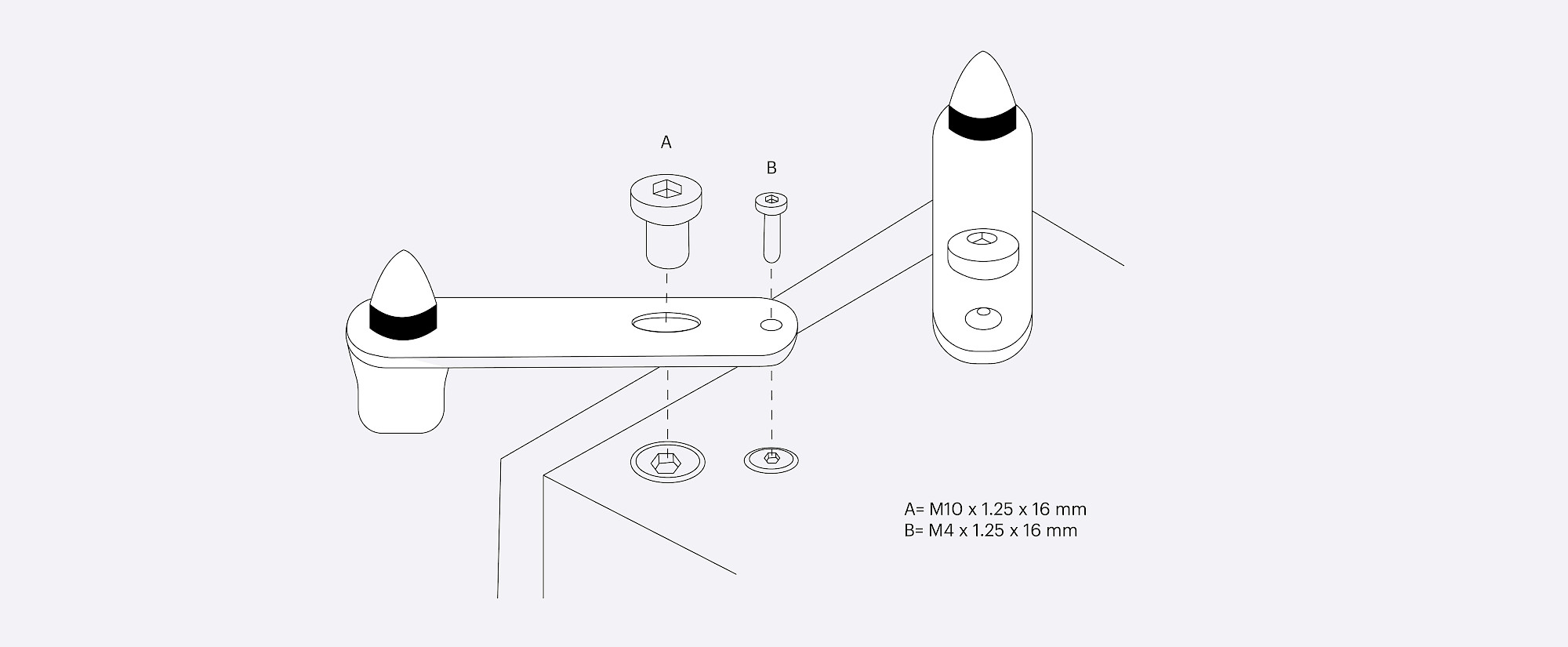
If the speaker is being installed on a carpeted floor, screw the spike into the foot and ‘out-rigger’ assembly. Fix them to the speaker base using the supplied bolts and hex keys.
You can check that the speaker is level on all sides by using the spirit level. If it’s slightly off-level, unscrew the foot at the lowest point and check again. Continue this process until the cabinet is fully level. Use the locking nuts on each foot to fix the feet in place and to stop any unwanted vibrations.
WARNING: Please ensure there are no hidden wires under the carpet that could be damaged by the spikes.
If you were unable to find an answer to your query in our Silver 7G support section or you require any further assistance, please contact our technical team via email at technical@monitoraudio.group or give us a call on +44 1268 740580.
Was this article helpful?
That’s Great!
Thank you for your feedback
Sorry! We couldn't be helpful
Thank you for your feedback
Feedback sent
We appreciate your effort and will try to fix the article